日本語のウェブを、
そのまま教材に。
BunSense turns any Japanese page into your study material: furigana, visible grammar, pitch accent, translation, voice, and YouTube transcripts, right where you read and watch.
 Add to Chrome · Free
BunSense is a desktop Chrome extension. Open this on your computer to install.

できること。
Six tools, one sidebar.
AI translation & voice run in bring-your-own-key mode*. All keys stay with you, stored locally.
動画
Learn from the video you're watching
On YouTube, the transcript opens in the sidebar and follows the video line by line. Replay a line, click any word for its meaning, and open the meaning and grammar of any sentence, built-in or with your AI.

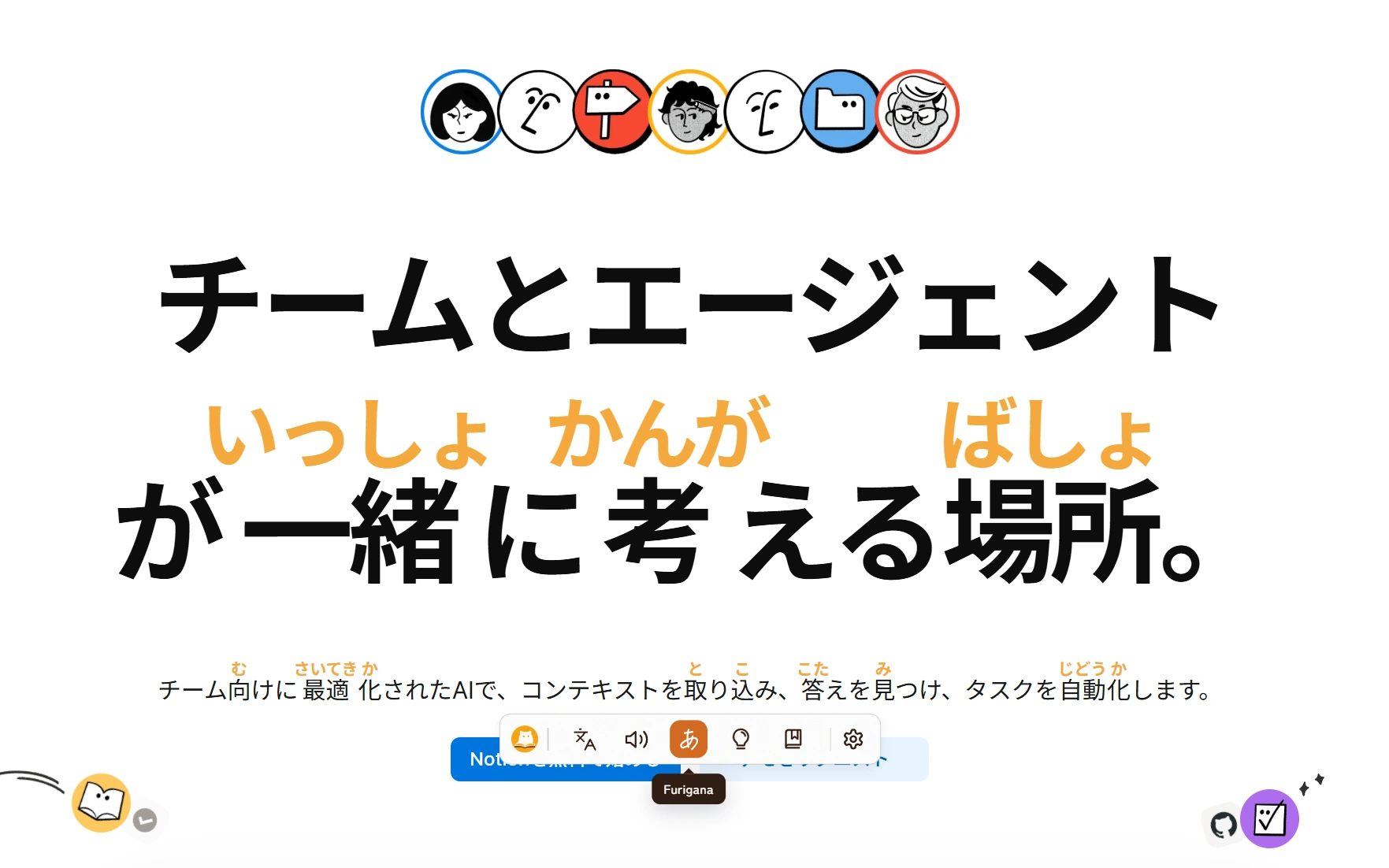
ふりがな
Furigana that knows its place
Readings appear over every kanji as you browse, in a size and traditional color you choose. Turn it on once; the whole web becomes graded reading.
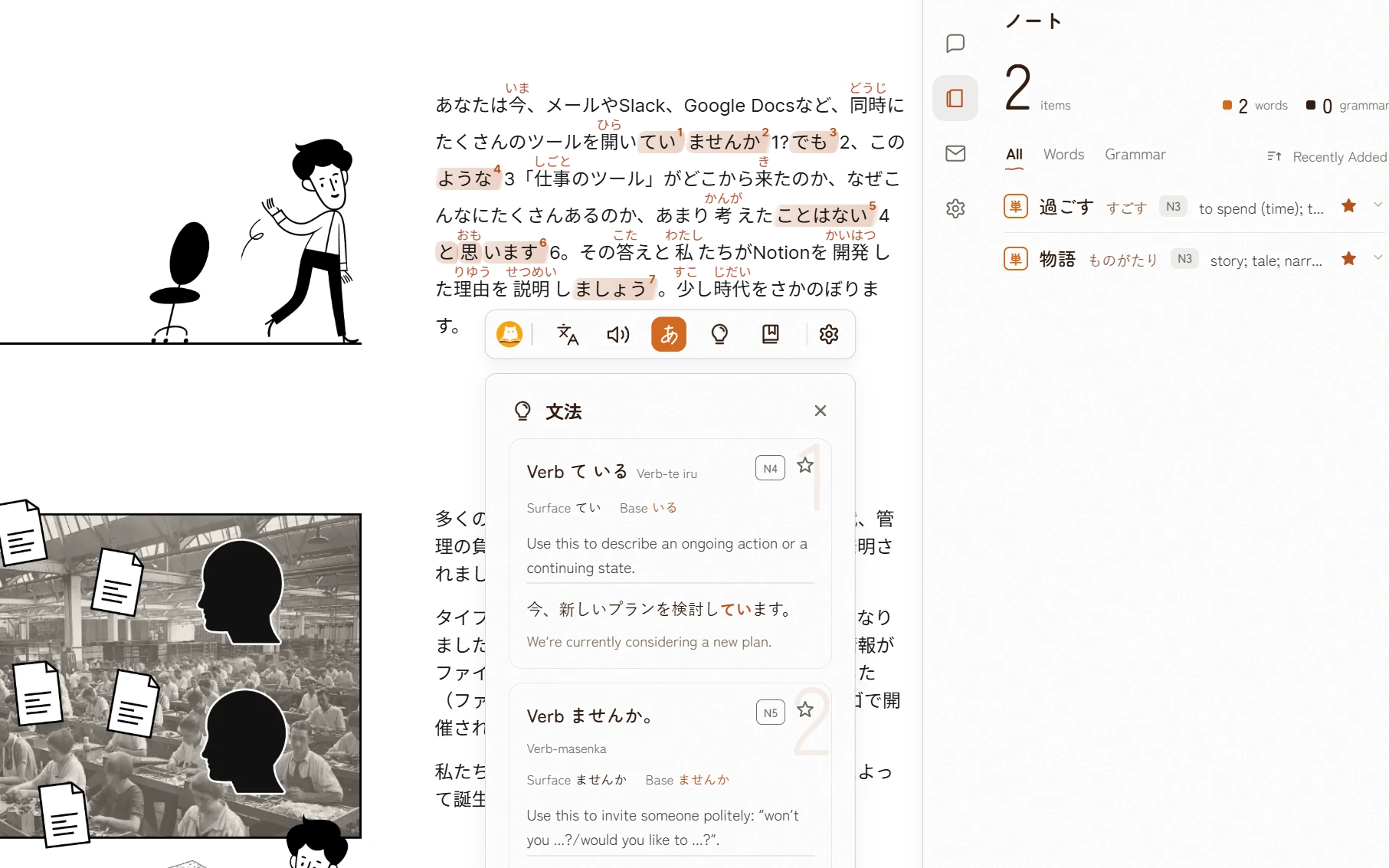
文法
Grammar you can see
Select a sentence and BunSense marks each pattern with a highlighter stroke, numbered to a card: JLPT level, the conjugated surface and its base form, a plain explanation, and a real example. Filter by your level so it only shows what you're learning.
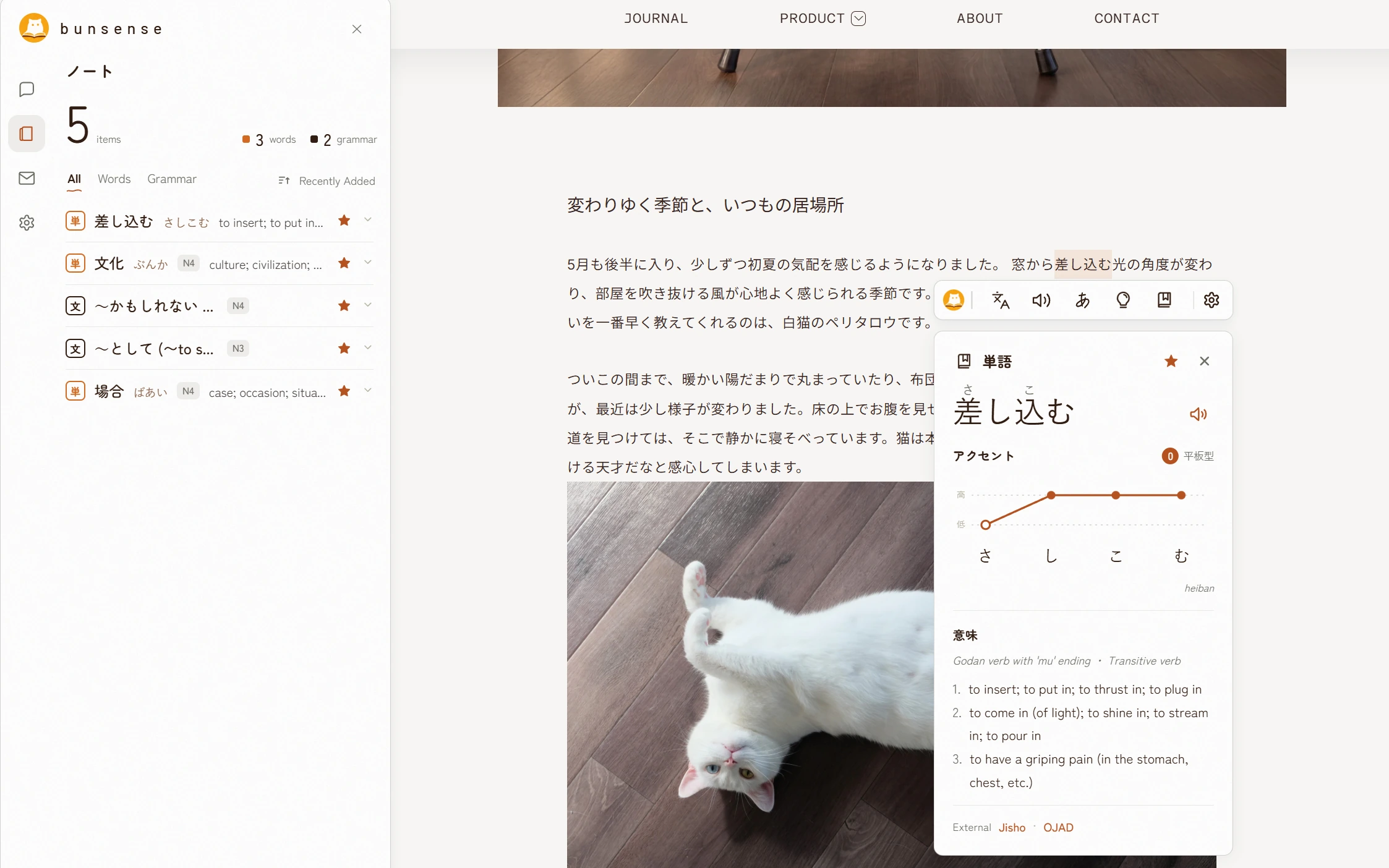
単語
Pitch accent, meaning, one click
The word card draws the pitch contour over each mora, marks the downstep, and lists senses in your language: English, 简体 or 繁體. Star anything to keep it in your notebook.
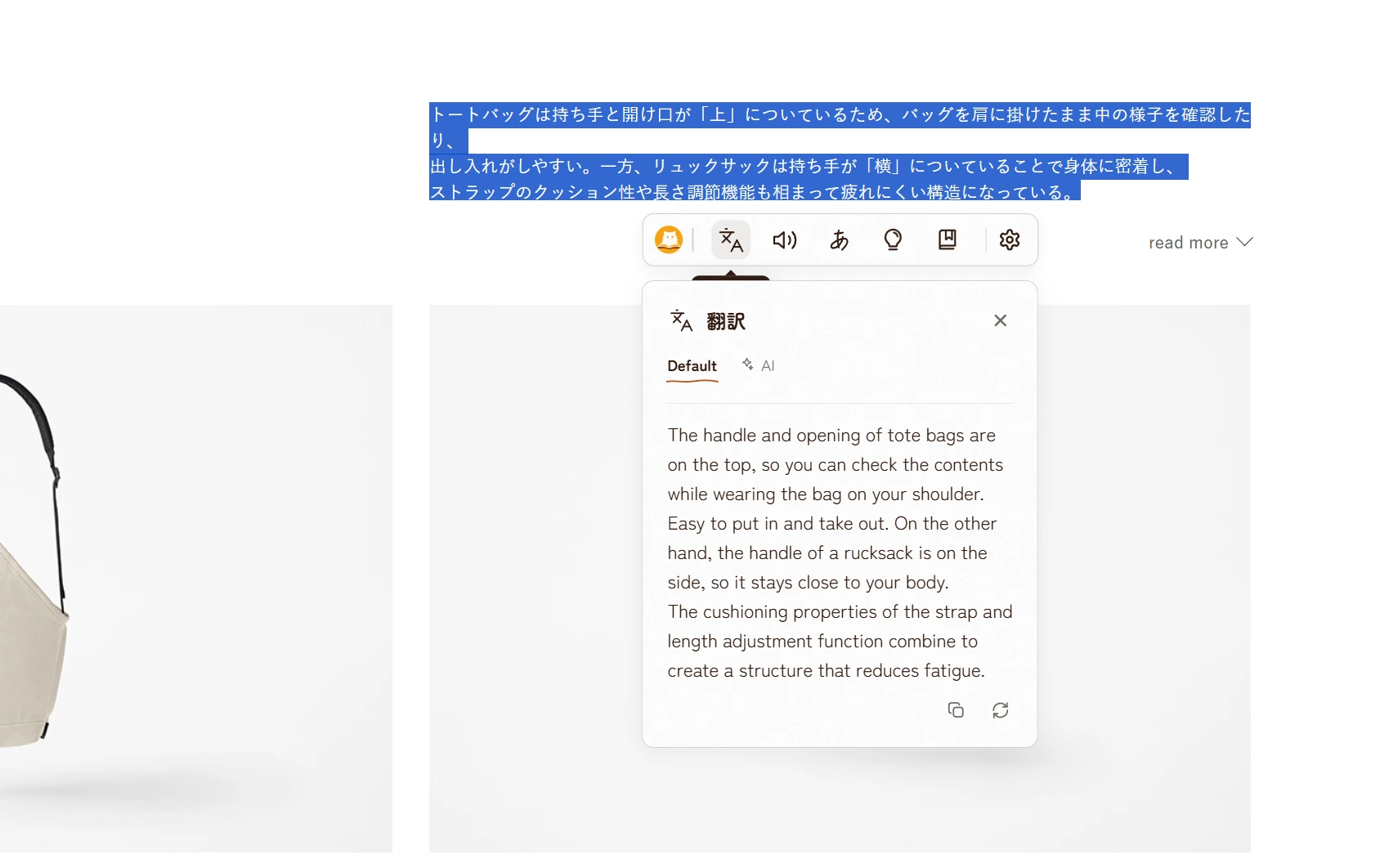
翻訳
Translation, right where you read
Select any passage and the translation opens beside it: a fast default engine, or AI translation when you want nuance. No tab-switching, no copy-paste.
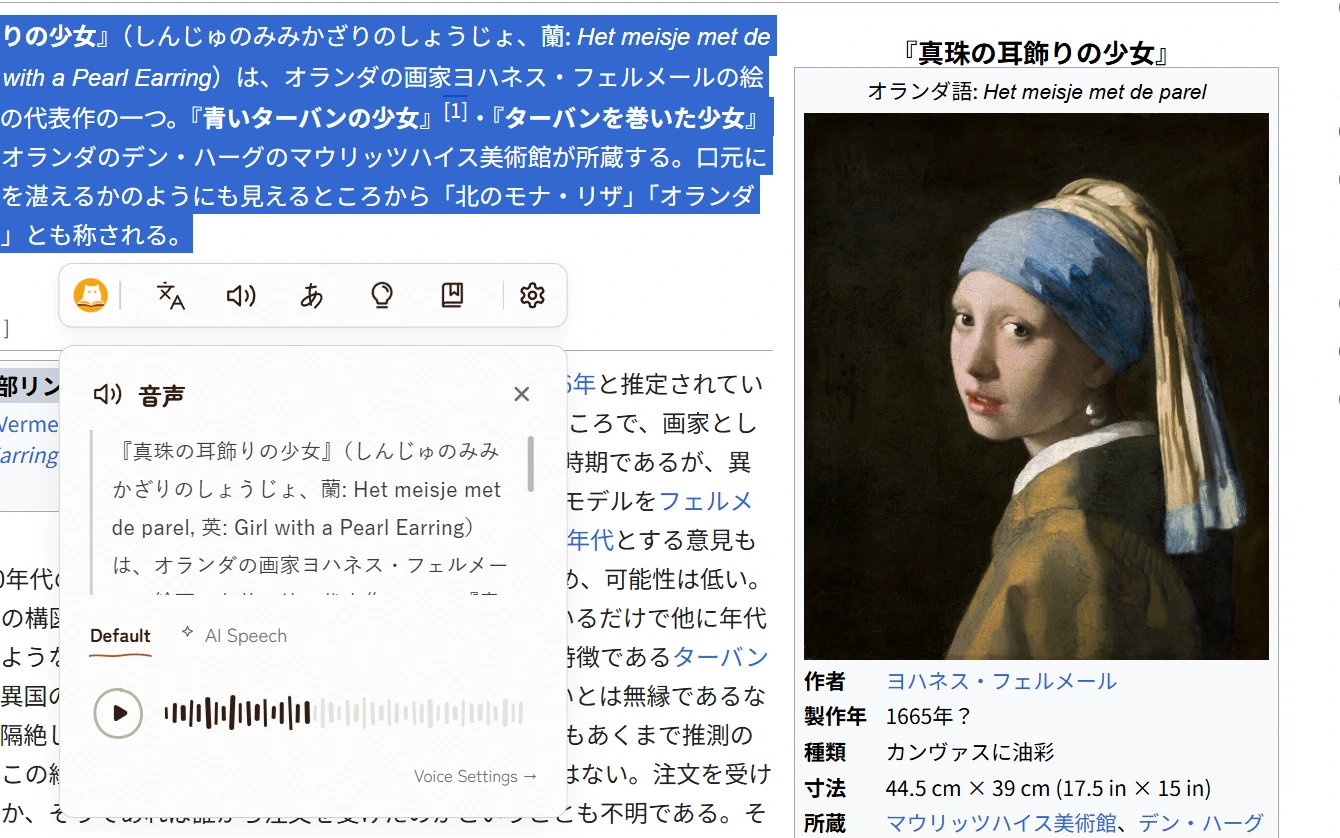
音声
Hear every sentence
One tap reads your selection aloud: a fast default voice, or natural AI speech when you're shadowing. Pick your voice in settings.
今日から、読める。
Free on the Chrome Web Store. Your reading stays on the page.
Add BunSense to Chrome